Recently I wondered which anti-detection browser on Android is best for working with advertising platforms like Facebook, TikTok, Google Ads, etc. I studied different options and decided to share my findings – maybe someone will find it useful.
Why do we need mobile anti-detect browsers?
I found that using anti-detect browsers on Android can make life much easier if you work with multiple accounts or want to remain as anonymous as possible. Here are the main benefits I noticed for myself:
- Multi-account: Easily switch between different profiles in a couple of clicks.
- Registration of new accounts: The mobile version increases trust by simplifying registration on various platforms.
- Farming accounts: If the volume is small, the mobile version does a great job.
- Bypassing Blocks: IP block lists are easier to bypass than on desktop.
- Privacy: Tracking, cookies and other analytics are minimized, helping to hide your digital fingerprint.
- Clean Fingerprint: Masking device data reduces the risk of blocking.
- Crypto and “gray” niches: Allows you to safely access exchanges and wallets, reducing the risk of freezing.
Mobile vs. Desktop Anti-Detect Browser
I noticed that both mobile and desktop versions solve the same problem — masking the digital trace, but they do it differently. Different solutions may be suitable for each case: sometimes it is more convenient to set up an Android emulator on a PC if you need to launch advertising campaigns en masse; sometimes it is easier to just install a mobile application if there are not too many accounts.
Antidetect browsers with Android emulator
I would like to note separately that some antidetections work through emulators (LDPlayer, BlueStacks, MEmu). The difference here is as follows:
- Native antidetections are installed directly on the smartphone and require almost no additional actions.
- Emulator antidetections are launched in a virtual environment on a computer. This is a bit more complicated to set up, but more convenient when you need to scale and manage multiple profiles.
Top 5 Best Anti-Detect Browsers for Android
Let’s get to the heart of the matter. Here are my personal top five favorites.
1. DuckDuckGo
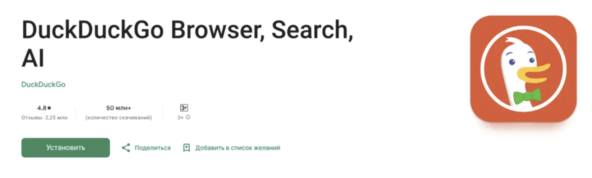
- Pros: Maximum privacy, no tracking• Minimalistic interface• High speed
- Cons: Search results are worse than Google• No voice or image search• Some sites may block access
- Features: Clears history and cookies in a couple of clicks• Free and compatible with Android 5.0+
DuckDuckGo is more of a “second” browser for me. I often use it for everyday anonymous surfing.
2. Tor Browser
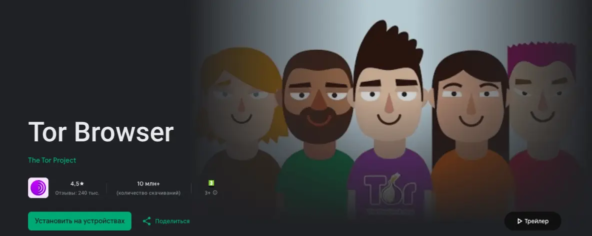
- Pros: Complete anonymity• Access to blocked sites• Setting up bridges and protection from tracking
- Cons: There may be problems with speed• More difficult to connect to some networks• No Russian interface (by default)
- Features: Three levels of security• Frequent updates• Free, supports Android 5.0+
Tor is a classic of anonymity. But using it when working with advertising accounts is not always convenient due to slow speed and possible problems with connection stability.
3. Dolphin Zero
- Pros: Automatic data clearing after exiting • Convenient profile backup • Minimalistic interface
- Cons: Updates are infrequent
- Features: You can change the device fingerprint • There is a free version (Android 4.1+) • The paid version expands the functionality
I liked the ease and simplicity of Dolphin Zero. Especially if you need additional fingerprint settings, but want to stay on your smartphone.
4. Adblock Browser
- Pros: Built-in ad and pop-up blocking• Content filters by language• Safe browsing: protection from malicious scripts
- Cons: Possible lags when watching videos • No built-in translator, data cannot be imported • Over time, the cache clogs up memory
- Features: You can create a white list of sites• Free, compatible with Android 5.0+
If I just want to browse the web without annoying ads, Adblock Browser is great. But for serious multi-tasking, it’s not so convenient.
5. GoLogin
- Pros: Convenient work with several profiles at once • High level of anonymity • Free proxies included • Not a bad interface
- Cons: Free version only for 7 days• Sometimes there are failures in the operation of profiles• After the trial period, a paid subscription is required
- Features: Support for Android 4.1+• Rates after trial: $50–$100 per month
GoLogin seems to me an interesting solution for small advertising teams or freelancers who need to test several accounts at the same time. But without a paid subscription you won’t work for long.
How to choose an anti-detect browser for your smartphone
To sum it up, I look at the following criteria:
- Functionality: Support for fingerprint substitution, working with proxies and multi-accounting.
- Anti-detect protection: How well does the browser mask data on popular sites.
- Convenience and speed: Quick setup and simple interface so you don’t have to spend a lot of time on routine.
If you need a tool for farming and testing, I would recommend taking a closer look at GoLogin or Dolphin Zero. If you just want to surf the net without unnecessary trackers, try DuckDuckGo. For maximum anonymity – Tor, and if you are fed up with advertising, Adblock Browser will help.
In general, each browser has its own “feature”. I myself periodically change them depending on a specific task, be it launching advertising campaigns, registering new accounts or simply browsing websites without annoying banners.