Best Anti-Detection Browsers 2024: Complete Comparison and Testing
When managing multiple social media accounts, advertising accounts, or affiliate programs, it’s crucial that the platforms don’t suspect that all the profiles are managed by the same person. Standard tools—such as incognito mode and VPN—are sufficient to mask only one digital footprint. But what if you need to manage two, six, or even more “personas” simultaneously?
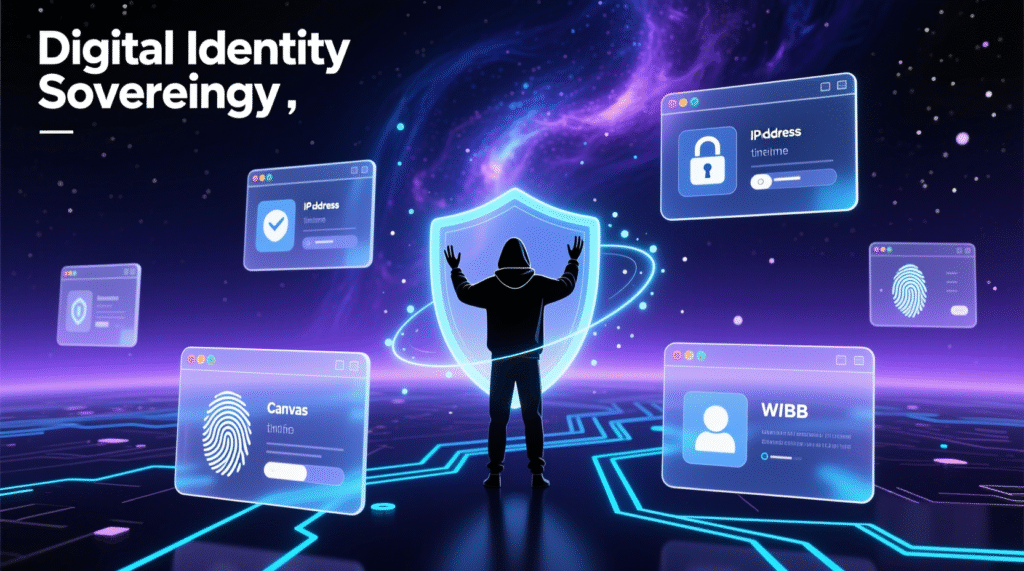
The fact is that even when using a VPN, your IP address will change, but your browser settings will remain the same. Websites collect and analyze dozens of characteristics: User Agent, installed plugins, Canvas and WebGL signatures, time zone, system language, screen resolution, hardware information (CPU, RAM size), font list, and much more. Together, this data forms a unique digital fingerprint for your browser.
If two accounts are logged in with identical or conflicting fingerprints, the risk of being blocked is close to 100%. This is where anti-detection browsers come in: they allow you to create completely isolated profiles with different, plausible fingerprints, simulating the work of different users on different devices.
Okay, so there’s a tool for creating such profiles. But how can you be sure that the advertised cloaking actually works and doesn’t reveal sensitive information to websites? In this article, we’ll test several anti-detection browsers and determine which one provides the best protection when using social media. The test won’t rely on marketing promises, but rather on real-world testing using two popular checkers: PixelScan and IPhey.
Why PixelScan and IPhey?
PixelScan and IPhey are online services that simulate the operation of anti-fraud systems. While they can be viewed with skepticism, they remain among the most accessible tools for the average user—without the need to write complex scripts.
PixelScan analyzes hundreds of parameters—from browser version to WebRTC leaks—and returns an overall verdict. If all characteristics are consistent (for example, the User-Agent matches the OS, and the time zone matches the IP geolocation), the profile is considered consistent (realistic). Otherwise, the service marks the fingerprint as inconsistent and suspicious.
IPhey works similarly: it compares your profile with a database of real fingerprints. If the masking is successful, you’ll see the message: “Your digital identity appears secure.”
What to look for in a fingerprint?
Key parameters checked by modern anti-fraud systems:
- User-Agent and OS consistency
- Correct Canvas and WebGL fingerprints
- Matching time zone, language, and IP geolocation
- No real IP leaks (via WebRTC, DNS)
- Natural font set and audio engine
- No traces of automation (Selenium, Puppeteer)
- Hardware data integrity (e.g. Windows should not expose Linux parameters)
An anti-detection browser should not simply replace individual fields, but fully emulate the real environment. Even an outdated engine version can cause detection.
What are User-Agent, Hardware, Canvas and WebGL?
- User-Agent is a string that a website uses to identify the browser and operating system.
- Hardware — hardware information: processor, graphics card, memory size. A discrepancy with the OS raises suspicion.
- Canvas/WebGL are graphics signatures that are unique to each device.
- Additional signals: audio context, font list, time zone, language settings – all this forms your digital portrait.
Modern platforms link accounts using hundreds of such parameters. Therefore, it’s important not just to change IP addresses, but to ensure comprehensive and consistent masking.
How to check how secure your browser is?
- Clean fingerprint: the profile should pass PixelScan and IPhey checks without warnings.
- Regular updates: The browser core should be updated synchronously with Chrome/Firefox.
- Correct proxy operation: no real IP leaks, correct geodata transfer.
- Performance: Fast profile launch and stability during mass use.
Test participants
We compared 8 anti-detection browsers:
- Gologin
- Multilogin
- MoreLogin
- Incogniton
- NSTBrowser
- Kameleo
- GeeLark
- 1Browser
Methodology
We evaluated:
- PixelScan and IPhey test results
- Profile launch time
- CPU/RAM load
- Built-in proxy quality
- Unique features (RPA, Cloud Phone, etc.)
- Update frequency
- Pricing policy
1. Gologin — Best balance of price and quality
Gologin uses its own browser based on Chromium and offers hundreds of isolated profiles. In tests, it confidently passed both checkers without any issues. Profiles launch in 3.5 seconds, supports HTTP(S) and SOCKS5 proxies, as well as built-in residential proxies (free — 5 locations).
Updates are released regularly — the core is synchronized with current Chrome versions. There’s a 7-day trial period, and plans start from $24/month for 100 profiles.
Bottom line: Universal, reliable and affordable solution for SMM, arbitrage and affiliate programs.
2. Multilogin — Premium for corporations
One of the first anti-detection browsers on the market. Uses two engines: Mimic (Chromium) and Stealthfox (Firefox). Profiles passed all checks, but the interface is minimalistic and requires getting used to. No full desktop application — only launcher.
Proxies are built-in, but during testing there were problems with geolocation (for example, US proxy showed Russia). Prices are high: €79/month for 100 profiles, no trial period.
Bottom line: Reliable enterprise tool for large teams where stability matters more than price.
3. MoreLogin — Budget choice with Cloud Phone
Chinese anti-detection with low price and unique Cloud Phone feature — cloud Android devices for working with TikTok, Instagram and other mobile applications.
However, PixelScan revealed inconsistencies in default profiles (timezone ≠ geolocation), and Chrome version was outdated (137 instead of 140). IPhey passed successfully.
Free plan — 2 profiles, paid plans from $9/month. Russian interface is partially translated.
Bottom line: Best budget option with focus on mobile platforms. Suitable for TikTok farming with limited budget.
4. Incogniton — For tech-savvy and economical users
Offers 10 free profiles for 2 months, but “out of the box” doesn’t pass either PixelScan or IPhey. Requires manual fingerprint configuration.
Interface is outdated, bulk proxy import is missing. Updates are rare, support — only via email and Telegram.
Plans start from $14/month. Suitable for those who are ready to fine-tune parameters manually.
Bottom line: Best choice for technically savvy users who value savings.
5. NSTBrowser — Automation for geeks
Focused on developers: built-in RPA editor, headless mode, script marketplace. However, IPhey didn’t pass on default settings.
Antiviruses (like Kaspersky) often block installation. Requires powerful PC. Free plan — only 10 launches per day, paid — from $299/month.
Bottom line: Powerful tool for automation and scraping, but not for beginners.
6. Kameleo — Master of mobile fingerprints
Allows emulating real Android devices with accurate parameters (DPI, sensors, resolution). There’s a mobile app for working directly from your phone.
However, both checkers found inconsistencies in the base profiles. Profile launch took 6 seconds, which is slower than competitors.
Plans from €45/month, free – 300 minutes per month.
Bottom line: Best for mobile multi-accounting, especially if you need credible Android profiles.
7. GeeLark – Cloud Phones for TikTok
Instead of browser emulation, we use real Android devices in the cloud. Perfect for TikTok, where algorithms easily recognize emulators.
Desktop profiles failed the tests, but mobile ones passed IPhey 100%. The “phone” launch takes up to 2 minutes.
Pricing: $19/month for 50 devices and 75 minutes of use. Minutes are cumulative across all profiles.
Bottom line: The best solution for mobile farms, especially TikTok and Instagram.
8. 1Browser – The best free antidetection
Completely free (20 profiles), simple interface similar to Chrome. Built-in proxies (500 MB of traffic).
IPhey didn’t work with free proxies, but PixelScan did with paid residential proxies. Profile launch took less than 2 seconds.
Bottom line: An excellent starting tool for beginners. Suitable for basic tasks without high anonymity requirements.
Summary table
| Browser | Antidetect | Cloud | Launch speed | Mobile profiles | Price |
|---|---|---|---|---|---|
| Gologin | ✅ | ✅ | ~3.5 s | ✅ | $24/month |
| Multilogin | ✅ | ✅ | ~5 sec | ✅ | €79/month |
| MoreLogin | ❌ | ✅ | ~4 sec | ❌ | $29/month |
| Incogniton | ❌ | ❌ | ~6 sec | ❌ | $14/month |
| NSTBrowser | ✅ | ❌ | ~4.5 s | ❌ | $299/month |
| Kameleo | ❌ | ❌ | ~6 sec | ❌ | €45/month |
| GeeLark | ❌ | ❌* | ~12 sec | ❌ | $19/month |
| 1Browser | ✅ | ❌ | ~2 sec | ✅ | $0 (20 prof.) |
*GeeLark failed desktop tests, but mobile profiles passed.
Verdict: Who is the best?
| № | Browser | Peculiarity |
|---|---|---|
| 1 | Gologin | The best balance between price and quality |
| 2 | Multilogin | The best enterprise solution |
| 3 | Kameleo | Best for mobile multi-accounting |
| 4 | GeeLark | Best for Mobile Farms (TikTok/Instagram) |
| 5 | NSTBrowser | Best for RPA Techies |
| 6 | Incogniton | Best for budget and technical users |
| 7 | MoreLogin | Best Budget with Cloud Phone |
| 8 | 1Browser | The best free antidetection |
Conclusion
The choice of anti-detection browser depends on your needs:
- Universal choice — Gologin (reliable, fast, inexpensive).
- Corporate level — Multilogin.
- Mobile accounts — GeeLark or Kameleo.
- Budget start — MoreLogin or 1Browser.
- Automation — NSTBrowser.
- Manual setup + savings — Incogniton.