I recently did a detailed study of the anti-detection market. Most of them are paid, but some offer excellent free options – each with its own limitations.
I will list the 6 best free antidetection apps for 2025, each of which is suitable for both commercial and personal use.
VPN or proxy no longer works?
If we are talking about modern social networks, then no.
Just a couple of years ago, using a VPN (Virtual Private Network) or a proxy was enough to ensure anonymity on the Internet. Both methods can indeed improve your security to some extent, but they are not enough if you want to protect your social media accounts. Here’s why:
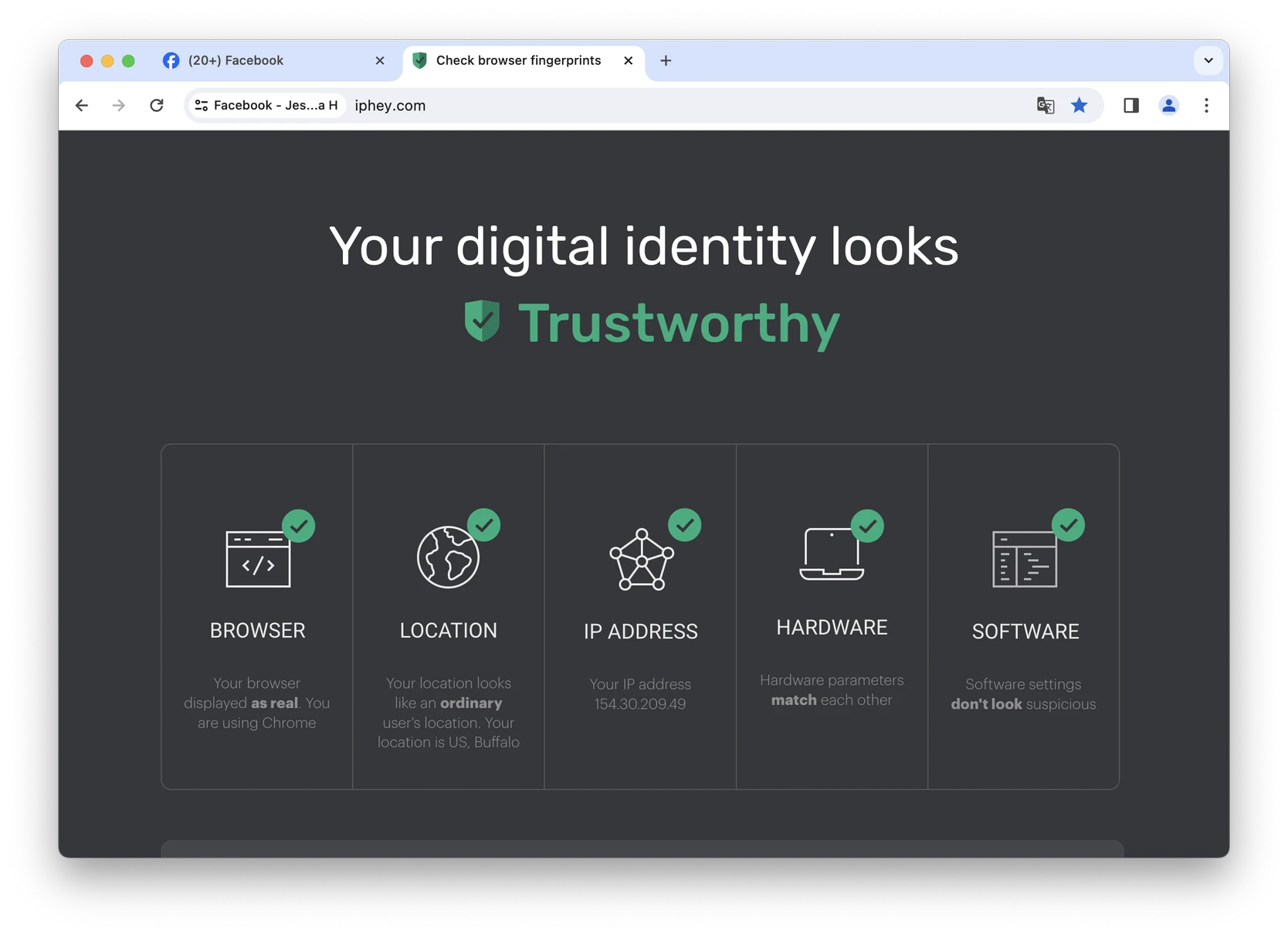
- A VPN encrypts your connection and hides your IP address. However, a VPN does not change your browser’s digital fingerprint. Websites see your browser and device settings, which means they can easily track and block you. In addition, modern social networks (like LinkedIn) can instantly block you for the mere fact of a VPN connection : they consider any encryption suspicious.
- Proxies hide your IP address by simply issuing a new one. However, like VPNs, they do not provide the same level of protection as anti-detections. Proxies do not encrypt traffic, but your device is still subject to digital fingerprint tracking. Proxies can only be used safely with anti-detection.
Read also:
- What are antidetect browsers? Quick guide 2025
- What is device fingerprinting and should you be concerned?
- What is a browser’s “digital fingerprint”? How to protect yourself from tracking
- What are Canvas Digital Prints? A Quick Guide
Why do people use antidetects?
Antidetect browsers have many different (legal!) uses, both commercial and personal:
- Managing multiple accounts: If you manage multiple accounts on social networks, the anti-detector browser will allow you to manage them without drawing attention to suspicious activity. This is especially useful for SMM specialists, marketing agencies, HR specialists and recruiters, arbitrageurs and freelancers.
- Remote Teamwork: Digital marketing agencies need special tools to manage client accounts. In modern social networks like LinkedIn or Reddit , teams need anti-detections to safely work with accounts from different locations without restrictions.
- Bypass geolocation restrictions: A good anti-detect browser gives you a new proxy IP address instead of yours. This will allow you to use sites that are not available in your country. This way, you can protect your accounts from loss if, for example, you travel often.
- Privacy: Many people want to keep their online activities private, especially if they are concerned about corporate data collection. Antidetect can provide the best possible level of tracking protection.
- Web scraping: Companies that collect data in bulk need anti-detections or similar systems to protect scraping bots from being blocked. Ever seen Cloudflare click captcha when you enter a website? That’s bot protection.
Best Free Anti-Detector Browsers: Top 6 in 2025
1. GoLogin
Although GoLogin only offers 3 profiles in its Forever Free plan, it has fewer restrictions than any other free anti-detection browser, as well as a better reputation and reliability.
I mention the company’s reputation here because many unknown brands offer free plans, claiming excellent security. Remember, free antidetections from unknown vendors can cause you serious harm – for example, sell your personal data.
As of 2025, GoLogin has the best reputation on the market , which is confirmed by G2 user reviews and the opinion of the portal editors.
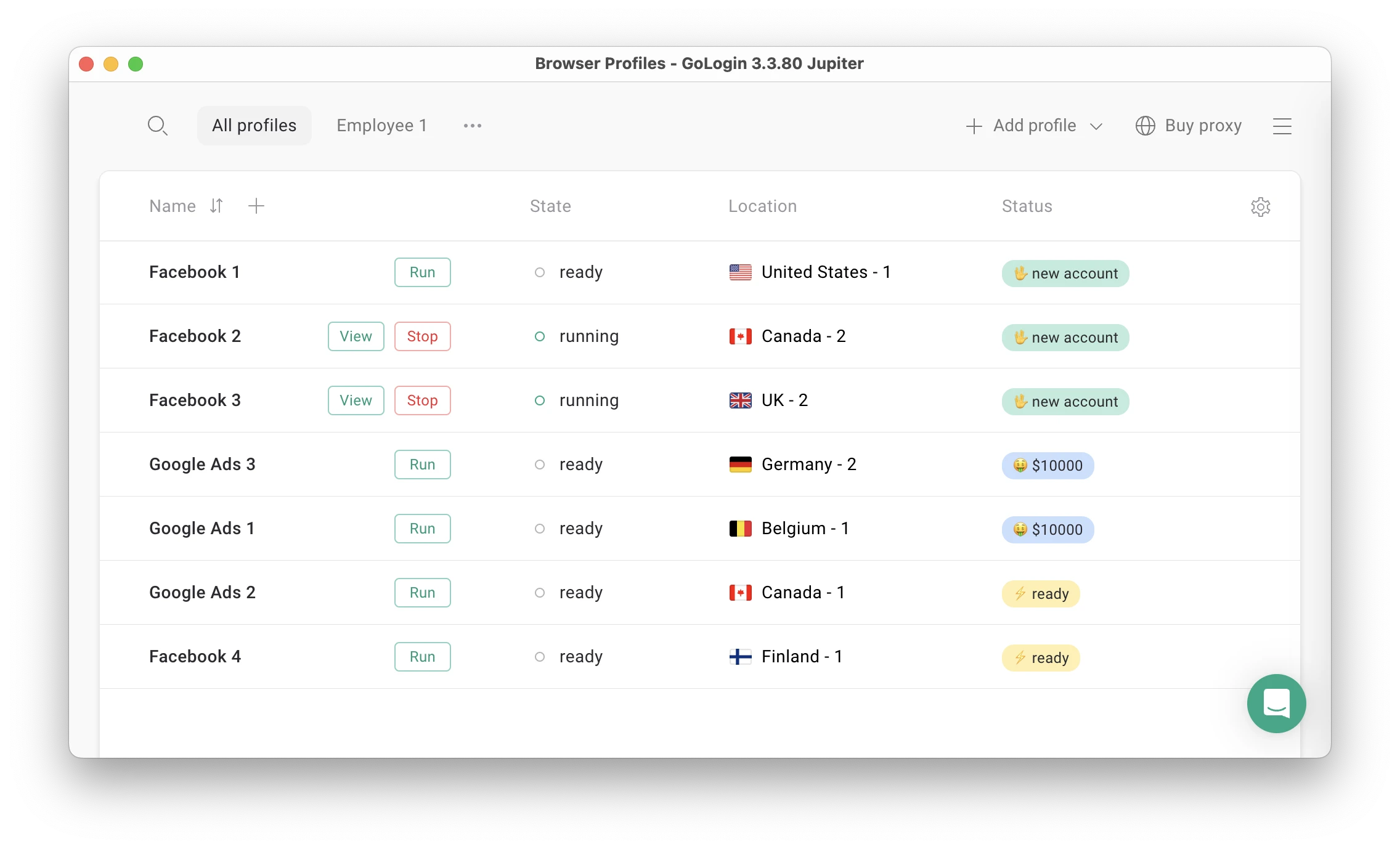
Compared to competitors, GoLogin’s free plan offers:
- 5 Free Proxies for the Most Popular Countries
- 24/7 technical support, as with paid plans
- Reliable protection of the device’s digital fingerprint, as with paid plans
- No restrictions on using third-party proxies
- Android app
- API and automation support
With a user-friendly interface that is suitable for new users, GoLogin is the best free browser among the browsers listed below. It also supports more operating systems than any other competitor. On the Forever Free plan, GoLogin provides the same level of anonymity as on the paid plans.
- Supported OS: Windows, macOS, Linux, Android, Web application.
- Number of profiles on free plan: 3 profiles
- Notable features: 5 free proxies on the Free plan
2. 1Browser
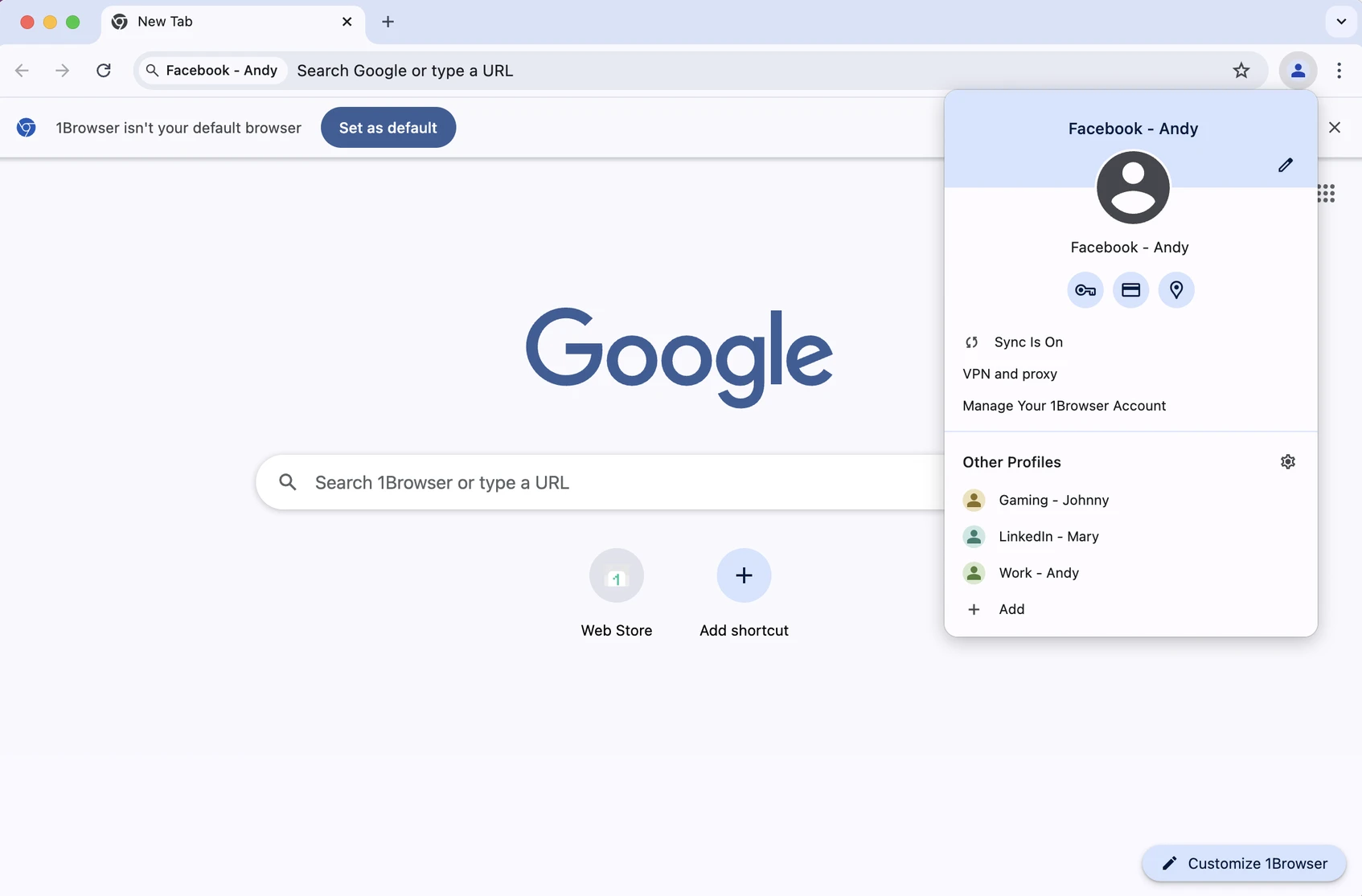
1Browser is a new antidetect with a very generous free plan, built-in free proxies and an impressive resemblance to Chrome . It supports quick switching between profiles that look exactly like Chrome, but are actually separate browsers – under the hood is a real antidetect browser. 1Browser promises to pass checkers, like any other paid antidetect browser.
The free plan includes 20 profiles and free proxies with basic functionality. Paid plans are quite affordable, priced from $9 to $14 per month and include 50 and 100 profiles respectively. Paid plans promise global coverage of built-in proxies by country, which is a very good offer for this money.
- Supported OS: Windows (Intel/ARM), macOS, Linux
- Number of profiles on free plan: 20 profiles
- Notable features: 5 free proxies on the Free plan
3. Dolphin Ant
Dolphin Anty is a notable player in the category of the best free anti-detection browsers: it offers 10 profiles for free.
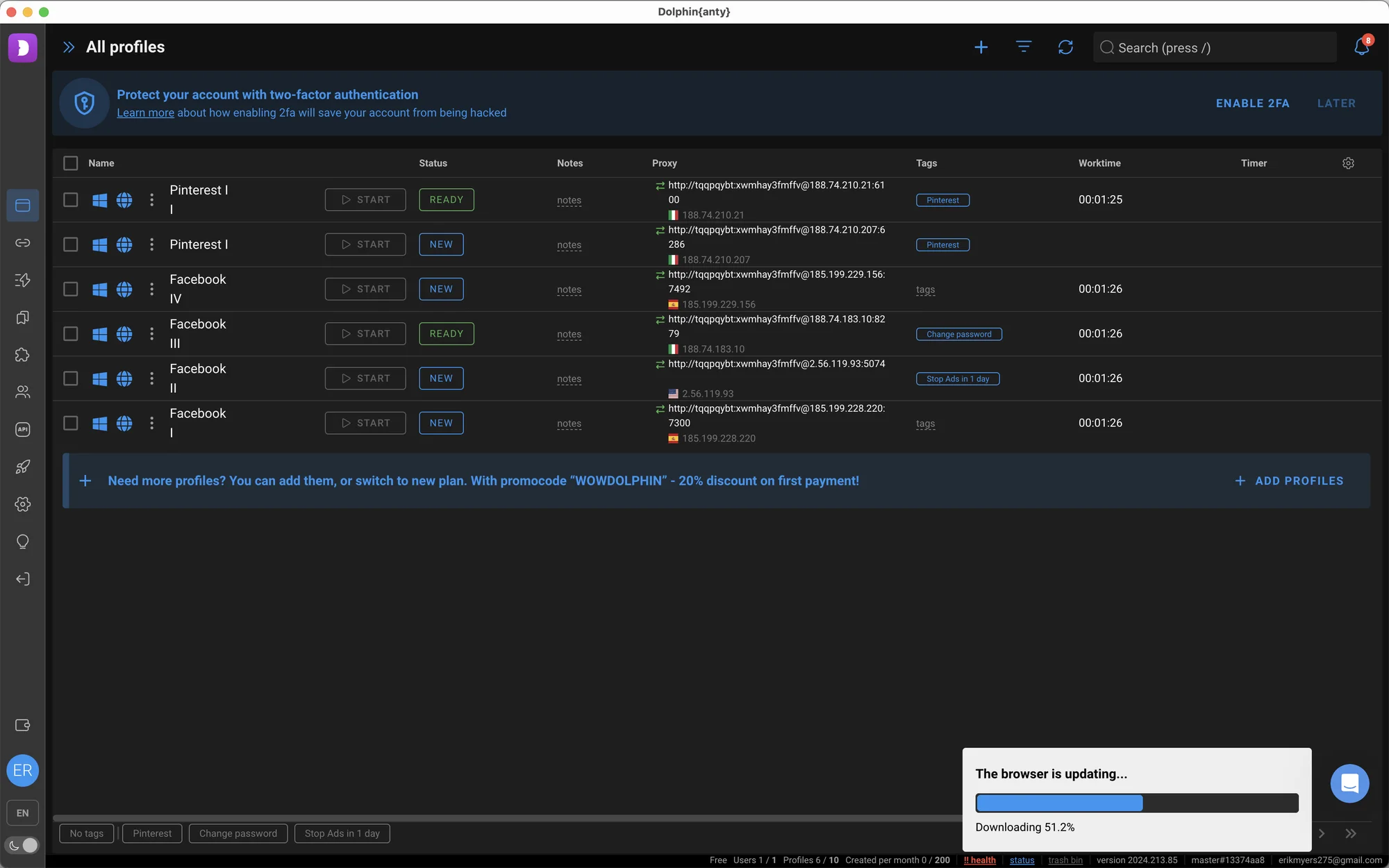
Dolphin has a lower reliability and reputation (even among free antidetects). This is due to an old leak of personal user data, as well as the fact that Dolphin is known for constant service failures even among its clients.
However, Dolphin Anty is quite a popular choice among arbitrageurs. Many arbitrageurs use Dolphin as the best free anti-detection browser precisely for 10 free profiles.
- Supported OS: Windows, macOS, Linux
- Number of profiles on free plan: 10 profiles
- Notable feature: 10 profiles on free plan
4. Incognito
Incogniton is a lesser-known best free antidetect browser antidetect than Dolphin Anti or GoLogin. However, it also offers a generous 10 profiles in the Free plan .
There are some limitations (free use is only available for 2 months), but there are workarounds to continue using for free.
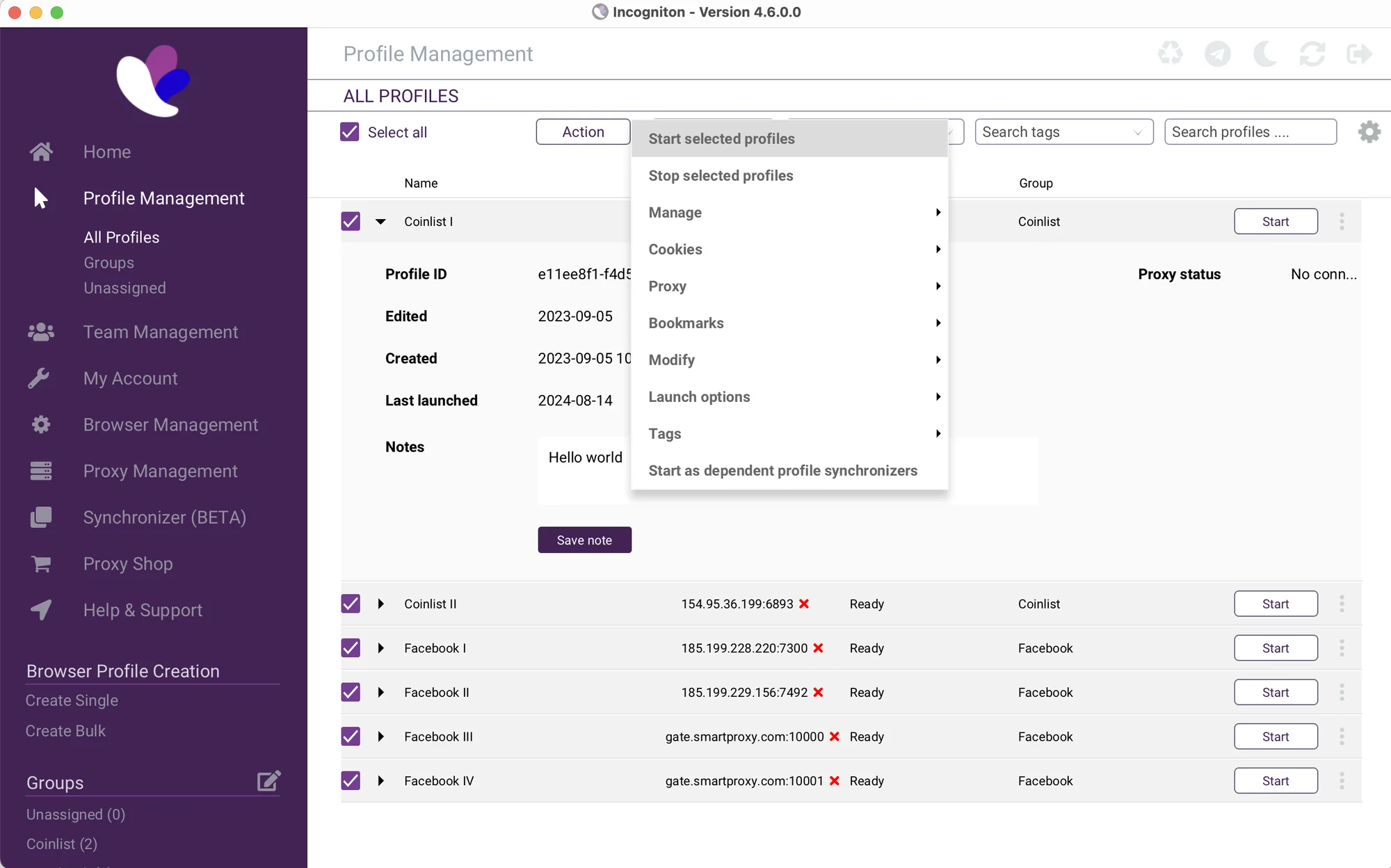
Incogniton Browser, compared to GoLogin or Dolphin, has a crude and outdated interface.
The offer of 10 profiles on the Free plan seems generous, but you’ll need to be a good techie to use Incognito. There are a lot of manual controls, which sets the bar pretty high for a new customer.
- Supported OS: Windows, macOS
- Number of profiles on free plan: 10 profiles
- Notable Features: Profile Synchronizer for Windows
5. Ghost Browser
Ghost Browser takes an interesting approach by allowing users to manage multiple sessions via tabs right in a single window. The Free plan offers 3 profiles .
Ghost has a near-zero learning curve and looks almost identical to Chrome. Managing multiple profiles is fairly intuitive, and there are plenty of easy-to-follow tutorials for literally every element of the app.
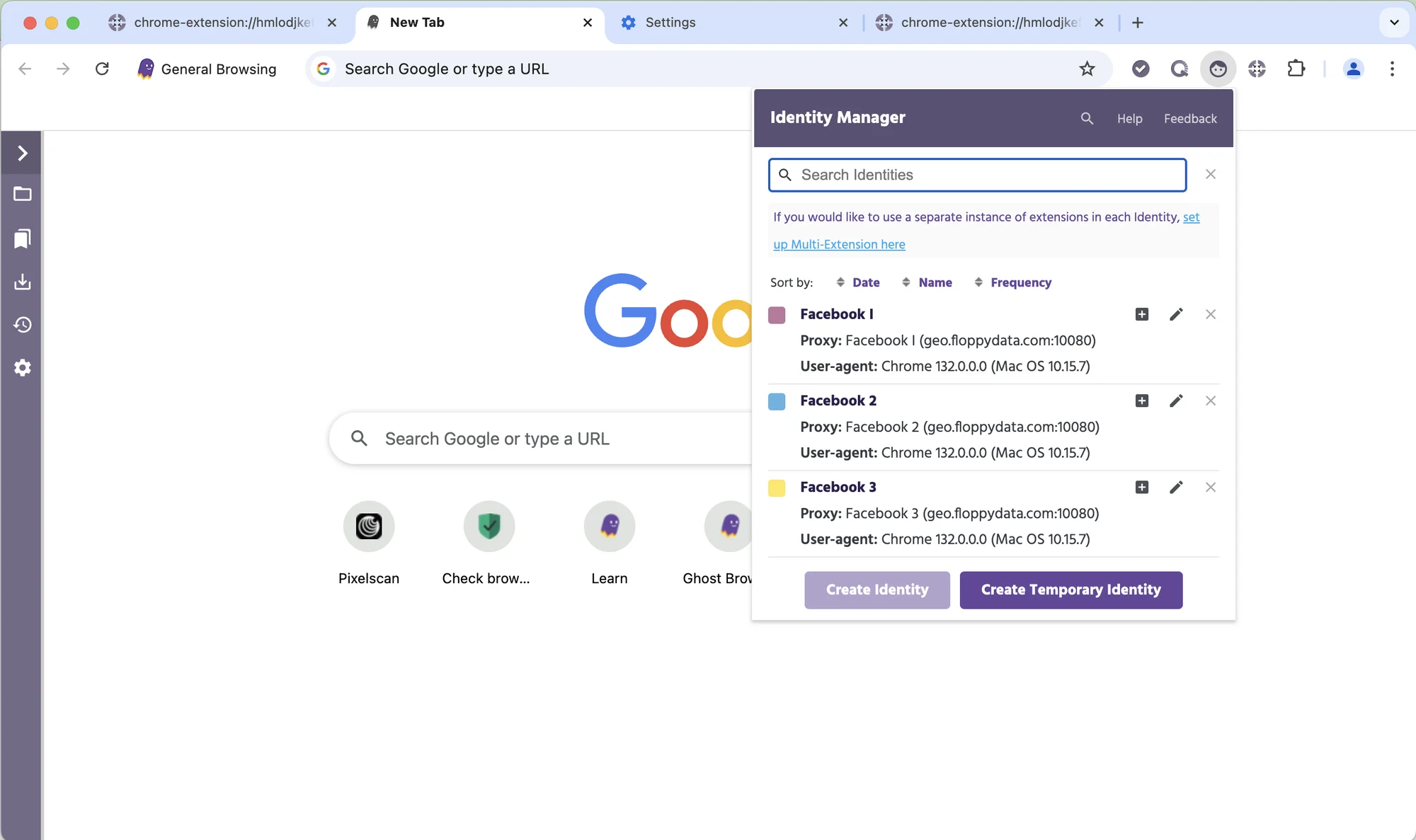
Ghost Browser offers a generous Free plan, but it is not as safe for social networks as other free antidetections. This is due to not very advanced protection against tracking of browser fingerprints, as well as a serious limitation on the use of proxies on the free plan.
This browser is best suited for social networks and sites that do not block users too much (for example, X or Gmail).
- Supported OS: Windows
- Number of profiles on free plan: 3 profiles
- Notable feature: tab system instead of separate windows
6. MoreLogin
Like many other free anti-detect browsers of Asian origin, MoreLogin offers 2 browser profiles and 2 employee seats on its Free plan.
I decided to include this browser instead of AdsPower (which offers 5 profiles for free) because MoreLogin offers 2 team spots on the free plan.
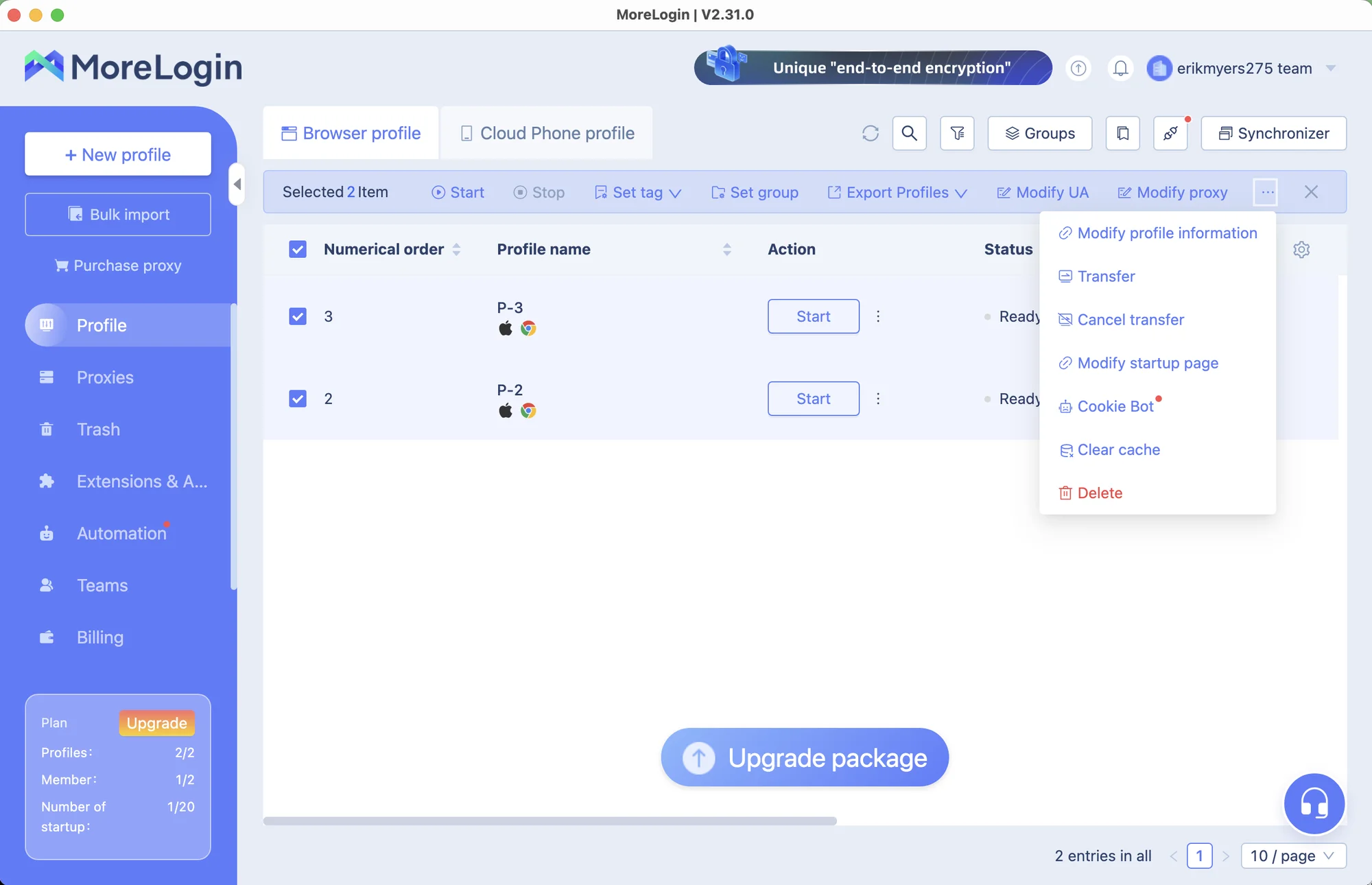
MoreLogin has an interface typical of Asian software. It also has a mixed reputation due to AI reviews and questionable reliability.
However, if you can easily deal with such interfaces and are not looking for a professional business tool, MoreLogin provides a good level of protection, at least for a free antidetect.
- Supported OS: Windows, macOS
- Number of profiles on free plan: 2 profiles
- Notable feature: 2 team seats on free plan
How to use antidetect browser?
Antidetect Browser gives you virtual browser profiles. Think of them as individual computers — that’s how websites see them.
Here is a typical scenario of working with antidetect, using GoLogin as an example:
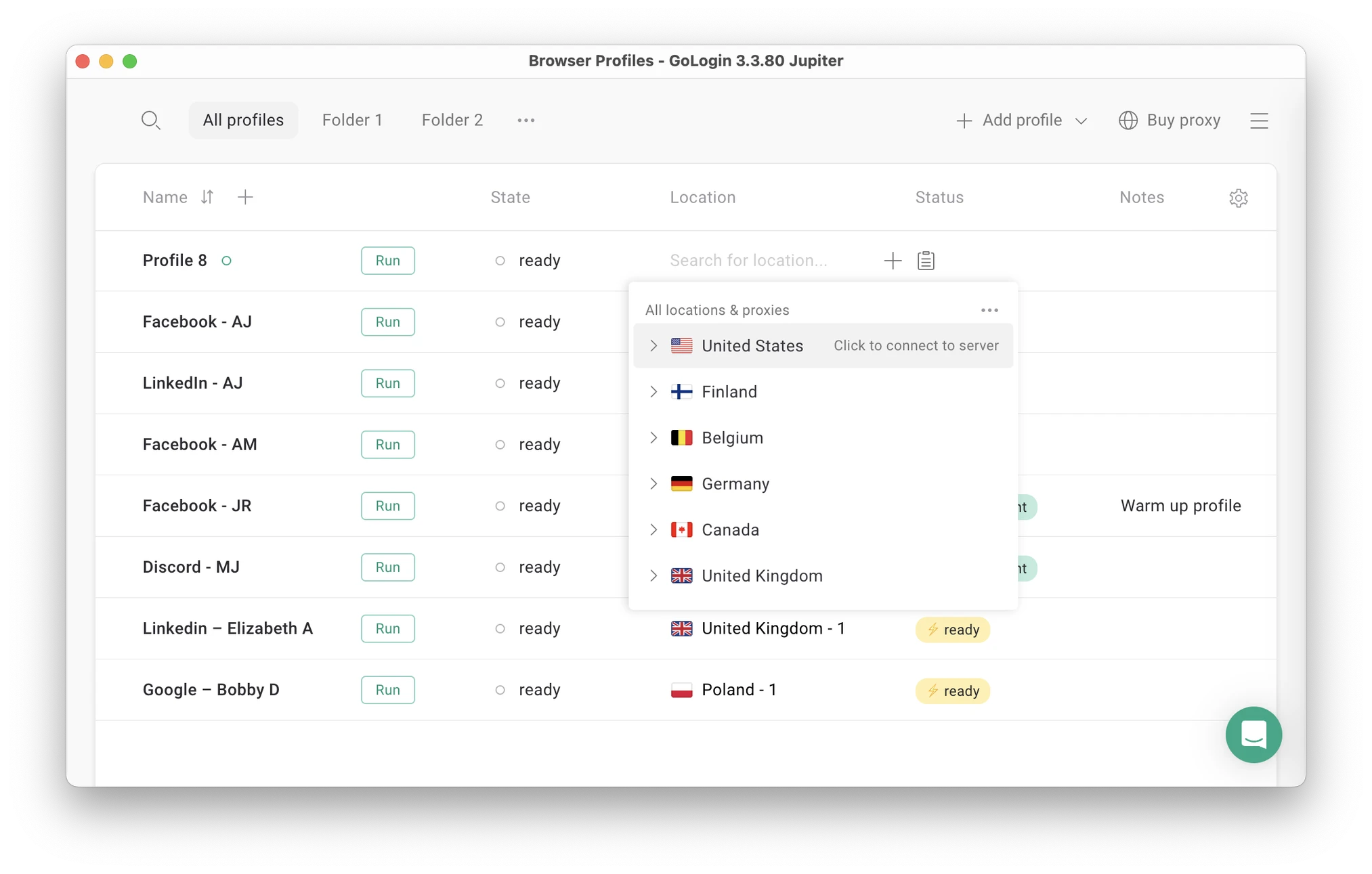
- Create a new browser profile . In GoLogin, this is done in one click: no need to configure anything. Create multiple profiles for more accounts.
- Add IP address (country) to the profile . Most antidetections allow you to use third-party proxies. GoLogin offers built-in proxies, so you don’t have to look for another service.
- Launch the profile . Launching it gives you a window that looks exactly like the Chrome or Firefox window. From now on, work in your accounts as usual.
- Share your profile (optional): You can send your profile to your partner without them having to sign in to your accounts.
Results: Choosing the best free antidetect browser
- Many antidetections offer free plans. Always check reviews of browsers. Never use tools from unknown manufacturers, as they may sell data.
- VPN or proxy do not protect your data because websites track digital fingerprints of devices.
- GoLogin is currently the best free anti-detection browser in 2025. It provides 5 free proxies, top-notch anonymity, and an excellent company reputation overall.
Want to try GoLogin? Sign up and get a 7-day free trial or come to a free demo call to find out how GoLogin can help you in your work.
Frequently asked questions
What is an anti-detector browser and how does it work?
Anti-Detection Browser creates separate profiles with different browser fingerprints (UA, fonts, canvas/WebGL, timezone, etc.) so that each profile appears as a separate device/user. This reduces connectivity much more than a simple proxy or VPN.
Is it legal to use an anti-detector browser?
Yes, the software is legal. What matters is how you use it: legal purposes (privacy, testing, consent-based multi-accounting) are fine; violating ToS or site laws is not.
Do I need a proxy server or VPN when using a browser with anti-detector?
Usually yes. Anti-detection tools randomize the fingerprint, but not the IP – for full separation you’ll need a proxy (or VPN/Tor if supported) for each profile.
Are there free anti-detector browsers?
Some offer free tiers or trials (availability varies): ixBrowser (“free forever”), Incogniton (free starter 10 profiles for 2 months, then 3 free), AdsPower (lifetime free plan with limited profiles), and GoLogin (7-day free trial). Check current restrictions before choosing.
Can websites be detected by anti-detector browsers? Are they “safe”?
They reduce the risk of detection, not eliminate it. Advanced fraud protection will still detect inconsistencies or “abstract” fingerprints, and misuse can lead to audits or bans – security, consistent behavior, and good proxies still matter.