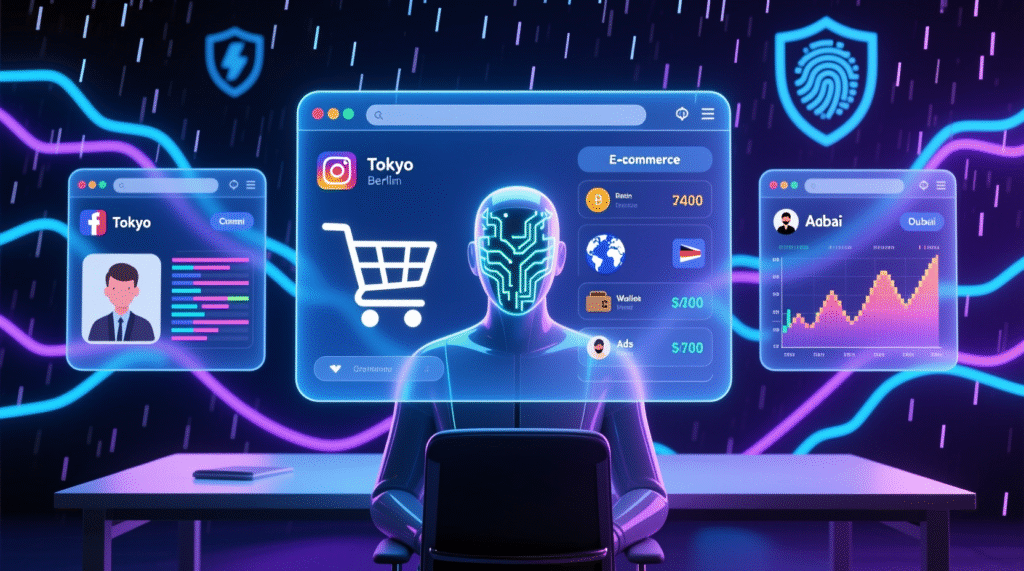
Let’s face it: anti-detection browsers didn’t just appear out of nowhere. The internet, despite all its conveniences, has long ceased to be a safe space. In the 1990s, a mobile phone was used only for calls and text messages—turn off the device, and you were offline. Shopping, going to the movies, and other everyday activities remained anonymous. Today, things are different: even when you log on to simple tasks, you’re under constant surveillance.
Beyond Browser Fingerprinting: Why the Network and Behavior Matter More Than Ever Before
Modern fraud detection systems no longer rely solely on classic “browser fingerprints.” Instead, they analyze network signatures—the unique sequences of TLS handshakes that occur when the browser launches. If your proxy or software interferes with this process differently than real Chrome or Firefox would, the system may identify you as a suspicious user—even with a perfect fingerprint.
Furthermore, behavioral analysis, enhanced by machine learning models, is increasingly being used. Time zone and IP geolocation discrepancies, simultaneous activity on multiple accounts, or an unnatural session pace are all triggers for additional verification.
To avoid blocking, it is important:
- Use an anti-detection browser with end-to-end encryption support and correct TLS signature emulation;
- Ensure internal profile consistency (IP, time zone, language, etc.);
- “Warm up” accounts gradually, imitating natural behavior;
- Check fingerprints before launching through public scanners.
Why do you need an anti-detect browser?
Anti-detection browsers (also known as multi-account browsers) allow you to completely hide your true digital footprint, replacing it with a fake but plausible one. Even strict platforms like Facebook or Amazon recognize such profiles as real users.
This is especially important for those who earn money online. Anonymity and personal data protection are becoming not just desirable, but mandatory. Some online businesses are simply impossible without anti-detection:
- Multiple accounts on social networks
- Work of advertising agencies
- Traffic arbitrage
- Dropshipping
- E-commerce
- Web scraping
- Sports betting and gambling
- Crypto lotteries
Looking to get started or already working in one of these areas? Then choosing the right tool is your first step to a stable income.
How to choose the right anti-detection browser?
There are over 50 solutions on the market, but most vary greatly in quality and functionality. To narrow your selection to two or three options, ask yourself four key questions:
- What are your main goals?
Do you need hundreds of profiles for affiliate marketing, or are 5-10 enough for dropshipping? Free plans and trials are suitable for testing, but have limitations. - What are other users saying?
Check reviews on Trustpilot, Reddit, and Google. Remember: negative reviews are more common than positive ones, and overly enthusiastic comments can be fake. - What’s your budget?
Prices vary widely. Annual subscriptions are often cheaper than monthly ones. Don’t chase the cheapest price—sometimes it’s better to pay a little more for stability. - Do you plan to work with a team?
Some browsers support collaboration, cloud syncing, and even mobile apps. Check compatibility with your operating system.
Additional features worth noting:
- API integrations
- Selenium/Puppeteer support
- Import/export cookies
- Built-in proxies or great deals
- Cloud storage and synchronization
- Simplicity of interface
- Quality of support and community activity
[dynamil_ink]
What are the dangers of hacked versions of anti-detect browsers?
Using pirated versions is an extremely risky practice. Firstly, it violates the license agreement and can lead to legal consequences. Secondly, such programs often contain malicious code: Trojans, keyloggers, and spyware.
Also, hacked versions:
- Not receiving security updates;
- May work unstably;
- No technical support;
- They undermine the ethical foundations of the IT industry.
Always choose legal solutions – it’s an investment in your safety and efficiency.
Top 10 Anti-Detection Browsers in 2025
1. GoLogin
An affordable and reliable alternative to Multilogin.
GoLogin offers the same functionality as its top competitors, but at a more affordable price. It supports managing hundreds of profiles, team collaboration via folders, importing/exporting cookies and proxies, and all popular Chrome extensions.
The interface is simple and intuitive—a rare advantage compared to other cluttered apps. Support is reliable, although sometimes there’s a delay.
Pros:
- High quality emulation
- Simple and clean UI
- Fair price
- Free built-in proxies
- Available on web and mobile (Android)
Cons:
- Support may be slow to respond
- Chromium-based browser only (Orbita)
OS: Windows, macOS, Android, web version
Price: from $24/month (100 profiles) to $149/month (2000+)
Free plan: 3 profiles + 7-day trial
2. Multilogin
The most expensive, but also the most proven tool on the market. Ideal for large agencies: powerful fingerprint customization, excellent support, and reliable profile isolation.
Cons: High price and no free plan.
Price: from €99/month (100 profiles)
OS: Windows, macOS, Linux
Free version: no
3. AdsPower
A Chinese browser with powerful no-code automation for social media and e-commerce. It’s convenient for routine tasks, but the interface is cluttered.
Important: In 2024, a data breach resulted in hackers stealing $4.1 million in cryptocurrency.
Price: from $9/month.
Free plan: 2 profiles.
OS: Windows, macOS.
4. Dolphin Anty
Developed by Russian affiliate marketers for Facebook and TikTok, it features timers, tags, and templates—all for your convenience.
Feature: Geared toward a Russian-speaking audience.
Price: from $71/month.
Free plan: 10 profiles.
OS: Windows, macOS.
5. Undetectable
The main advantage is an unlimited number of local profiles with any paid plan. Automatic account warm-up is also available.
Risks: Few independent reviews of long-term stability.
Price: from $49/month.
Free plan: 5 OS profiles
OS: Windows, macOS.
6. Incogniton
It stands out for its human-input simulation feature—useful for mass form filling. It has a simple interface and a generous free plan.
Disadvantages: Detection issues possible; prices are shown without VAT.
Price: from $29.99/month (+VAT)
Free plan: 10 profiles
OS: Windows, macOS
7. Octo Browser
An ambitious product from Belarus with a modern UI and a full range of features. However, there’s no free plan, and the community is primarily Russian-speaking.
Price: from €29/month
OS: Windows, macOS
Free version: not available
8. Ghost Browser
Not a classic anti-detection solution, but a multi-account workspace: new profiles open as tabs, not separate windows. Perfect for small businesses.
Limitations: No team collaboration, not suitable for large-scale operations.
Price: from $25/month.
Free plan: 4 profiles.
OS: Windows, macOS.
9. MoreLogin
A Chinese alternative to AdsPower with support for cloud-based Android devices—useful for TikTok. Inexpensive, but with a low-quality UI and a questionable reputation.
Price: from $9/month (10 profiles).
Free plan: 2 profiles.
OS: Windows, macOS.
10. Geelark
The first browser with cloud integration for Android devices. Suitable for mobile multi-accounting, but difficult to learn.
Price: from $5/month (5 profiles + 60 minutes of cloud storage).
Free plan: 2 profiles + 60 minutes.
OS: Windows, macOS, Linux.
Conclusion
Regardless of your niche—arbitrage, e-commerce, scraping, or social media—an anti-detection browser will increase your income and reduce the risk of blocking. The key is to choose a proven, stable, and legal solution.
Frequently Asked Questions (FAQ)
- How do anti-detection browsers work?
They replace your real digital fingerprint with a fake, yet credible one, so websites can’t identify you. - Which browser best protects fingerprints?
There’s no universal answer—it all depends on your needs, budget, and scale. GoLogin is considered a universal choice. - What’s better than Multilogin?
GoLogin is the most popular and affordable alternative. - Is there a free alternative to GoLogin?
Yes, but most of these tools are from China or Vietnam, with shady reputations. It’s not worth risking your data.